- The Noodle Network
- Posts
- 🍜 Apple plans a new AI button..
🍜 Apple plans a new AI button..
OpenAI just hit the brakes, Apple is rebuilding Siri like a makeover show, and a judge is side eyeing the Pentagon...
Welcome, Noodle Networkers.
OpenAI just hit the brakes, Apple is rebuilding Siri like a makeover show, and a judge is side eyeing the Pentagon. Yes all in the same week. OpenAI is scrapping Sora to focus on coding and AI agents. The cinematic “wow look what AI can do” project got quietly pushed aside for “build me something useful.” Turns out vibe videos do not pay the bills like writing code does. 🤖 Apple is planning a full Siri reboot with a new app and an “Ask Siri” button. After years of Siri answering questions like it just woke up from a nap, Apple is finally saying “ok let’s try this again properly.” The glow up might actually be real this time. 🍏 And a judge is questioning the Pentagon’s blacklist of Anthropic. When the courtroom starts asking “wait why is this AI company banned,” you know there is a backstory nobody is fully explaining yet. ⚖️ From abandoned AI dreams to assistant resurrections to legal plot twists, something is definitely shifting behind the scenes. Let’s dig in.
In today’s AI digest:
OpenAI scraps Sora to focus on coding and AI agents 🤖
Apple plans a Siri reboot with a new app and Ask Siri button 🍏
Judge questions Pentagon blacklist of Anthropic ⚖️
Read time: 5 minutes
WHAT’S HAPPENING TODAY
OpenAI
(source: WSJ)
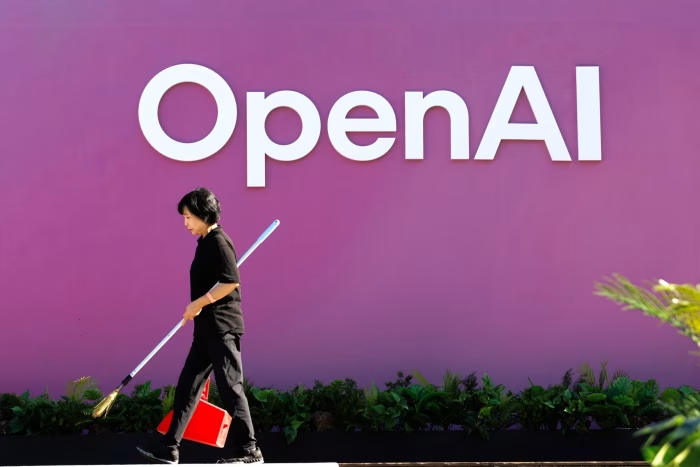
🤖 The Digest: OpenAI is reportedly sidelining Sora, its flashy text to video model, to focus on coding tools and AI agents. In other words, they are trading cinematic masterpieces for debugging your broken code at 2 a.m. Hollywood dreams are nice, but fixing a production bug apparently pays the bills.
Key Details:
🎬 Sora Leaves the Stage
Sora made headlines for generating stunning videos, but it turns out viral demos do not always translate into revenue. OpenAI basically looked at Sora and said, “You’re amazing, but can you invoice clients?”
💻 Developers Are the Real VIPs
Coding tools are where the money is. AI that writes and fixes code is already saving companies time and salaries, which makes it a lot easier to sell than “look at this AI-generated movie trailer of a cat driving a Ferrari.”
🤖 Agents Are the New Obsession
OpenAI is going all in on AI agents that can actually complete tasks. Think less “chat with me” and more “do my job while I pretend to work.” Somewhere, an intern just felt a disturbance in the force.
📉 Too Many Experiments, Not Enough Profit
The company realized it was juggling too many projects at once. At some point, even an AI company has to admit that building everything everywhere all at once is not a strategy, it is a stress test.
Why It Matters:
This shift shows where the real value in AI is heading. Not in flashy demos, but in tools that quietly save companies money. AI video might still be the future, but for now, the real star is the model that can fix your code, answer your emails, and make it look like you are working harder than you actually are.

(source: Bloomberg)
🍏 The Digest: Apple is preparing a full Siri reboot with a new standalone app and an “Ask Siri” button baked into iOS. After years of politely misunderstanding everything, Siri is finally getting promoted from “voice feature you tolerate” to “AI assistant Apple hopes you actually use.” This is less an update and more a comeback tour.
Key Details:
📱 Main Character Energy
Siri is no longer hiding in the background. Apple is giving it its own app, which means it is officially graduating from “long press accident” to something you might open on purpose.
🔘 Help, Now One Tap Away
The new “Ask Siri” button will be integrated across apps, letting you summon AI instantly. No more yelling at your phone like it owes you money. Just tap and hope it understands you this time.
🧠 Smarter Conversations
Apple is aiming for a more natural, chat-style experience. Ideally, this means fewer moments where Siri confidently gives you the wrong answer and more moments where it actually knows what you meant. Revolutionary concept.
📂 Knows You a Bit Too Well
The upgraded Siri will tap into your personal data like messages and emails to help with tasks. Helpful, yes. Also slightly concerning when it starts finishing your sentences better than you do.
Why It Matters:
Apple is finally entering the serious AI assistant race. Siri has been coasting for years while everyone else sprinted ahead, and now Apple is trying to turn it into something competitive. If this works, Siri might finally become useful. If not, at least it will fail in a much nicer interface.
Anthropic

(source: Global News)
⚖️ The Digest: A federal judge is side-eyeing the Pentagon’s decision to blacklist Anthropic, suggesting it might be less “national security” and more “we didn’t like your settings.” The courtroom vibe is basically: did the Pentagon make a strategic move, or did it hit the corporate equivalent of “block contact”?
Key Details:
👩⚖️ Judge Raises an Eyebrow
The judge questioned whether the blacklist actually matches the security concerns being claimed, hinting it looks a bit excessive. When a judge starts politely implying “this seems like a lot,” that is usually not a great sign for your argument.
🚫 Instant Industry Exile
Being labeled a “supply chain risk” means government agencies and contractors are told to avoid Anthropic. It is like getting banned from every group project at once, except the project is worth billions of dollars.
🤖 The Real Disagreement
Anthropic reportedly refused to loosen restrictions on how its AI can be used by the military. The Pentagon prefers fewer limits. It is basically a disagreement between “maybe let’s be careful” and “what if we were less careful but faster.”
💸 Billions on the Line
Anthropic says the blacklist could cost it massive revenue and damage its reputation. Turns out in tech, one strongly worded government memo can do more damage than a thousand bad tweets.
Why It Matters:
This case is shaping up to be a defining moment for AI governance. Who gets to decide how powerful models are used when the stakes are not just business, but national security? Right now the answer seems to be: everyone is arguing, the judge is confused, and somewhere an AI is quietly taking notes on how humans handle conflict.
THE NOODLE LAB
AI Hacks & How-Tos

Scenario is an AI platform that generates images, videos and 3D assets from text prompts or reference visuals. You can also train custom AI models so everything stays consistent with your brand or art style. It is designed to help creative teams produce high quality visual assets faster and at scale.
How to Use It 🧭
1. Create a Project
Log into Scenario and start a new project based on what you want to create such as images, video or 3D assets.
Pro tip: Keep projects separated by brand or use case for better organization.
2. Choose or Train a Model
Select a prebuilt model or train your own using reference images to match your style.
Pro tip: Training a custom model helps maintain consistency across all outputs.
3. Write a Prompt or Add References
Describe what you want to generate or upload reference images to guide the AI.
Pro tip: Include details like style, lighting and mood for more accurate results.
4. Generate and Iterate
Click generate and review the outputs. Adjust your prompt or settings to refine results.
Pro tip: Small prompt tweaks can lead to very different creative variations.
5. Edit and Export Assets
Use built in tools to refine visuals, upscale or adjust details, then download your final files.
Pro tip: Save variations so you can reuse assets across projects.
Scenario helps you go from idea to production ready visuals quickly while keeping everything consistent with your creative direction.
Trending AI Tools
Raycast AI – AI assistant built into your desktop to automate tasks, write text, and run commands directly from your keyboard.
Puzzle Labs – AI glossary tool that turns complex terms in your content into clear definitions and interactive explanations for readers.
QuickVid.AI – AI tool that turns text or articles into short videos with scripts, voiceovers, and visuals automatically.
Qatalog – AI-powered workspace that organizes company knowledge, tasks, and conversations in one searchable hub.
Proposal Genie – AI proposal writer that automatically drafts client proposals and RFP responses in minutes.
What'd you think of today's email? |